Ever recorded a video and wondered why it looked grainy, unprofessional, or just a bit… off? The secret often isn’t the camera—it’s the lighting. In the world of content creation, from YouTube tutorials to professional video conferencing, the right illumination is everything. That’s where a Video Ring Light comes in, transforming amateur footage into polished, professional-quality content with the flick of a switch. It’s the single most impactful and affordable upgrade you can make to your video setup.
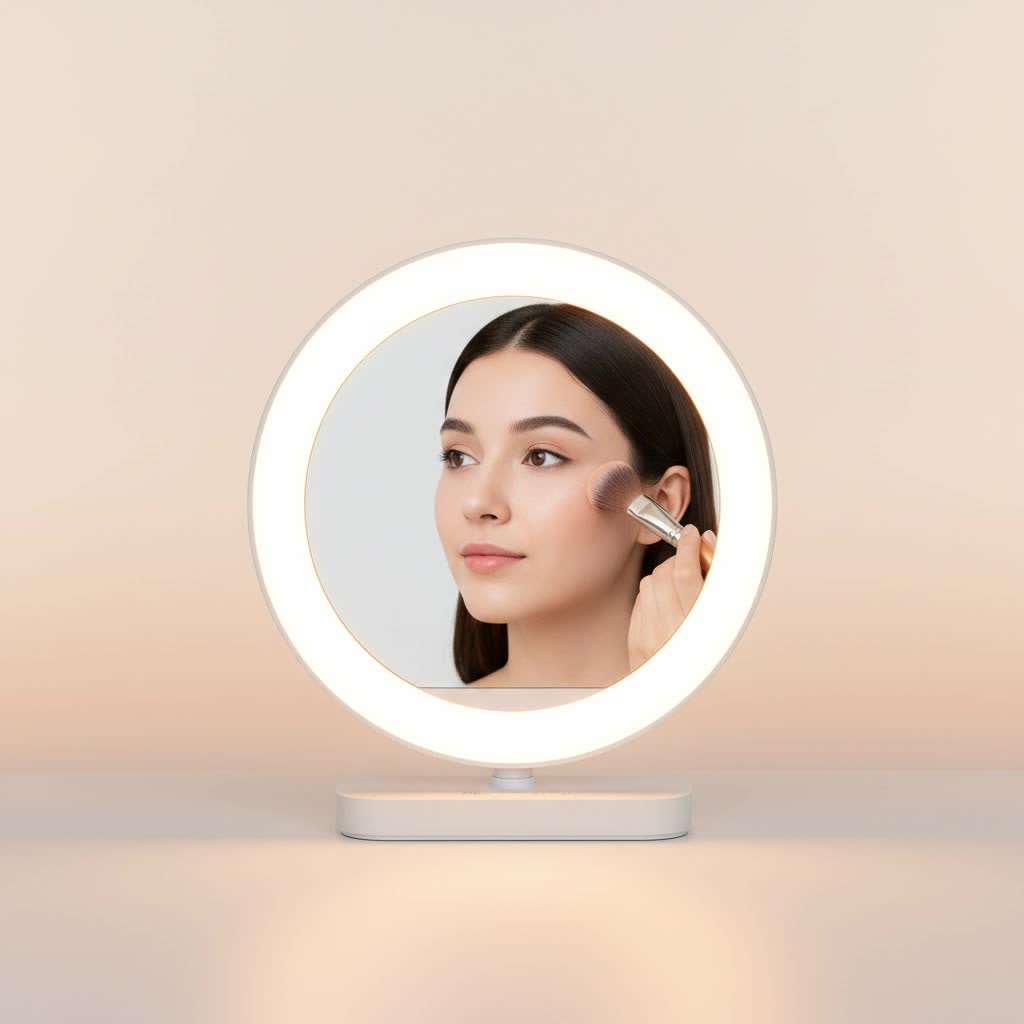
As a professional photographer and videographer with over a decade of experience, I’ve seen firsthand how the perfect light can make or break a shot. At Xmixi, we believe that everyone deserves to look their best on camera, and understanding your lighting is the first step. This guide will walk you through everything you need to know about choosing, using, and mastering your video ring light.
What is a Video Ring Light and How Does It Work?
A video ring light is a simple yet brilliant circular lighting tool that provides soft, direct, and uniform light onto a subject. Its unique donut shape is designed to be placed around a camera lens or smartphone, eliminating shadows by casting an even glow from every angle. This creates that flattering, professional look you see from your favorite influencers and streamers.
The magic lies in its ability to reduce harsh shadows and skin imperfections. Unlike a single-point light source that can create deep shadows on one side of the face, the circular design of a ring light wraps the subject in light. This results in the signature “catchlight” in the eyes—a circular reflection that makes them appear bright and full of life. It’s an instant boost in production quality.
How to Choose the Perfect Video Ring Light
Not all ring lights are created equal. Finding the right one depends entirely on your specific needs. Are you recording makeup tutorials, hosting webinars, or streaming video games? Let’s break down the key features to consider.
Size Matters: Finding the Right Diameter
The size of a ring light, measured by its diameter, directly impacts the softness and spread of the light.
- Small (6-10 inches): These are perfect for close-ups, makeup application, and video calls from a desktop. They are portable and often USB-powered, making them great for on-the-go lighting. However, they may not be powerful enough to light a larger scene.
- Medium (12-14 inches): This is a versatile sweet spot for many creators. It’s large enough to provide soft, flattering light for head-and-shoulders shots, making it ideal for YouTubers, streamers, and anyone recording tutorials.
- Large (18 inches and up): If you need to light a larger area or capture full-body shots, a large ring light is your best bet. These are the standard in professional photo and video shoots, offering the softest and most even light coverage.
|
Our Picks for the Best Ring Light in 2026
As an Amazon Associate I earn from qualifying purchases.
|
||
| Num | Product | Action |
|---|---|---|
| 1 | UBeesize 12\'\' Selfie Ring Light with 62’’ Tripod Stand for Video Recording, Live Streaming(YouTube, Instagram, TIK Tok), Compatible with Phones, Cameras and Webcams |

|
| 2 | Aureday 14\'\' Selfie Ring Light with 62\'\' Tripod Stand and Phone Holder, Dimmable LED Phone Ringlight for Makeup/Video Recording/Photography, Circle Lighting for All Cell Phones&Lightweight Cameras |
|
| 3 | Weilisi 12\'\' Ring Light with Stand 72\'\' Tall & 2 Phone Holders,38 Color Modes Selfie Light with Tripod Stand, Big LED Ring Light for iPhone/Android/Camera,YouTube,Makeup |
|
| 4 | Upgraded Ring Light for Laptop, Monitor, Desk & Phone – Eye-Caring LED Webcam Light with Screen-Safe Clip, Adjustable Monitor Mount, 50 Lighting Modes, Computer Light for Zoom, Streaming, Video Calls |
|
| 5 | Sensyne 10\'\' Ring Light with 50\'\' Extendable Tripod Stand, LED Circle Lights with Phone Holder for Live Stream/Makeup/YouTube Video/TikTok, Compatible with All Phones |
|
| 6 | EMART 10\" Ring Light with 55\" Extendable Tripod Stands and Phone Holder, Dimmable LED Circle Round Light for Selfie Camera Photography/Makeup/YouTube Video/Vlogging/Live Streaming |
|
| 7 | 10\" Selfie Ring Light with 73\" Tripod Stand & 1 Phone Holder, LED Camera Ringlight with 48 RGB Colors Modes & Musical Rhythm Mode and 12 Brightness Dimmable for TikTok/Makeup/Photography/Vlog |
|
| 8 | NEEWER Basics 10\" Selfie Ring Light with Tripod Stand/3 Phone Holders Compatible with iPhone/3 Cold Shoes/Remote, LED Ringlight Lighting for YouTube TikTok Vlog Video Recording Makeup Streaming, R11 |
|
| 9 | Weilisi 10\" Ring Light with Stand 72\'\' Tall & Phone Holder,38 Color Modes Selfie Light with Tripod Stand,Stepless Dimmable/Speed LED Ring Light for iPhone & Android,YouTube, Makeup,TIK Tok |
|
| 10 | STALLY 10.2\" Ring Light with Stand, 75\" Tall Ring Light with Phone Holder and Wireless Remote, 12 Dimming Levels, 32 Color Modes Selfie Light Tripod for iPhone, Live Stream, Makeup, YouTube, TikTok |
|
Brightness and Color Temperature Control
The ability to adjust your light is non-negotiable for achieving a professional look.
- Brightness (Lumens): Look for a video ring light with dimmable controls. This allows you to adjust the intensity of the light to perfectly match your environment, whether you’re shooting in a dark room or supplementing daylight. You don’t always need full power; subtle, soft light is often more flattering.
- Color Temperature (Kelvin): This feature lets you change the light from warm (yellowish) to cool (bluish). A good range is typically 3200K (warm) to 5600K (cool/daylight). This is crucial for matching the ambient light in your room and ensuring your skin tones look natural on camera.
As professional cinematographer James Arlington notes, “Controlling color temperature is the difference between a video that looks jarringly out of place and one that feels perfectly integrated with its environment. It’s a subtle adjustment that has a massive professional impact.”
Stands and Accessories
A great video ring light is more than just the light itself; the supporting gear is just as important.
- Tripod Stand: A sturdy, adjustable tripod is essential. It should be tall enough to position the light slightly above your eye level for the most flattering angle. Look for one that is stable and won’t wobble during a recording session.
- Phone/Camera Mount: Ensure the included mount is compatible with your device. Most modern ring lights come with a universal phone holder, and many larger models have a cold shoe mount or a screw thread for attaching a DSLR or mirrorless camera.
- Power Source: Smaller models are often USB-powered, which is convenient for use with a laptop or power bank. Larger, more powerful units typically require an AC adapter and need to be plugged into a wall outlet.
How to Set Up Your Ring Light for Flawless Video
Owning a great light is one thing; knowing how to use it is another. Proper setup is key to unlocking its full potential.
- Positioning is Everything: For the classic, shadowless look, place the camera or smartphone in the center of the ring light. Position the tripod directly in front of you, with the light raised so the center is slightly above your eye level. This angle slims the face and prevents unflattering shadows under your chin.
- Dial in the Brightness: Start with the brightness at a low setting and gradually increase it. The goal is to fill in shadows on your face, not to blast yourself with light and look washed out. Your face should be clearly and evenly lit without any “hot spots” (areas that are too bright).
- Match the Color Temperature: Look at the other light sources in your room. Do you have warm indoor lamps or cool daylight coming from a window? Adjust the color temperature on your video ring light to match. A mismatched color temperature can make you look either too orange or too blue.
- Experiment with Angles: While front-on lighting is standard, don’t be afraid to experiment. Moving the ring light slightly to the side (about 45 degrees) can create soft, subtle shadows that add depth and dimension to your face. This is a great technique for more dramatic or cinematic looks.
Common Mistakes to Avoid with Your Video Ring Light
- Setting it Too Low: Placing the ring light below your face will create spooky, unflattering shadows. Always keep it at or slightly above eye level.
- Using Full Power All the Time: More light is not always better. Over-exposing your shot will make you look washed out and hide details. Adjust the brightness to a natural level.
- Ignoring Reflections: If you wear glasses, the ring light can create a noticeable circular glare. To minimize this, raise the light higher and angle it down. This changes the angle of reflection so it doesn’t bounce directly into the camera lens.
Frequently Asked Questions (FAQ)
What size ring light is best for YouTube videos?
A 12 to 14-inch ring light is generally the most versatile and effective size for typical YouTube setups, such as tutorials, vlogs, and talking-head videos. It provides soft, flattering light for single-person, upper-body shots without being overly cumbersome.
Can I use a video ring light for streaming?
Absolutely. A video ring light is an excellent lighting tool for streamers. It provides consistent, even lighting that ensures your face is clearly visible, which helps you connect with your audience. Its ability to eliminate shadows is perfect for maintaining a professional look during long broadcasts.
How do I stop the ring light reflection in my eyes?
The catchlight is often a desired effect, but if you find it distracting, you can reduce its intensity. Try moving the light further away from you or dimming its brightness. You can also offset the light slightly to the side instead of placing it directly in front of you.
Is a ring light better than a softbox for video?
It depends on the desired effect. A ring light provides direct, shadowless illumination that is very flattering for a single subject close to the camera. A softbox creates a softer, more diffused light that can illuminate a larger area and create more natural-looking shadows for depth. For direct-to-camera content, a ring light is often simpler and more effective.
Do I need an RGB video ring light?
For most standard video applications like tutorials or video calls, an RGB ring light is not necessary. However, if you are a streamer, gamer, or creative artist who wants to add colorful background effects or mood lighting to your videos, an RGB model offers a fun and dynamic way to enhance your content.
The Final Takeaway
A high-quality video ring light is no longer a niche accessory for professionals; it’s a fundamental tool for anyone serious about creating great-looking video content. It offers a simple, effective, and affordable solution to the most common problem in videography: poor lighting. By providing soft, even, and flattering light, it instantly elevates the quality of your videos, helping you look more professional and connect more effectively with your audience.
Now that you’re armed with this knowledge, you can confidently choose the right light for your needs and set it up for a flawless shot every time. Go ahead and step into the light—your audience is waiting.
