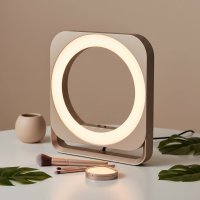
In today’s world of remote work and virtual meetings, making a good impression on camera is more important than ever. You could have the perfect background and a winning presentation, but poor lighting can make you look tired, unprofessional, and hard to see. That’s where a simple yet powerful tool comes in: the ring light for Zoom calls. If you’ve ever wondered how content creators and professionals always look so polished and well-lit on screen, the secret is often this circular lighting device. It’s a game-changer for anyone who wants to instantly boost their video quality and on-screen presence.
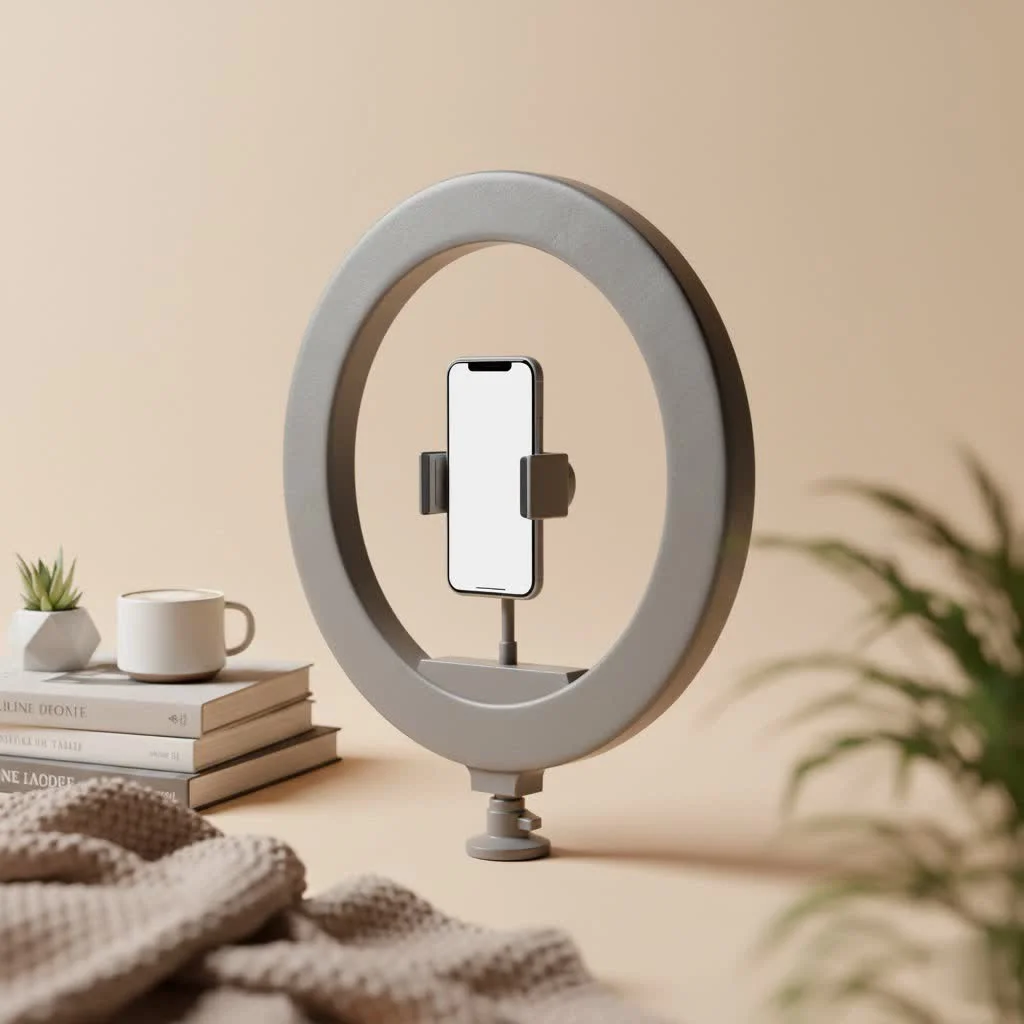
As a lighting professional with over a decade of experience, I’ve seen how the right light can transform an image from amateur to authoritative. Let’s dive into everything you need to know to choose, set up, and master the ring light for your video conferences. For browse all ring lights articles on this site.
What is a Ring Light and Why is it so Effective?
A ring light is a circular lighting tool that provides soft, direct, and uniform illumination. Its unique shape is designed to be placed in front of a subject, with a camera or smartphone positioned in the center of the ring. This setup eliminates shadows on your face by casting an even light from every direction. The result is a flattering, professional look that highlights your features and creates a distinct “catchlight”—a circular reflection in your eyes that makes you appear more vibrant and engaged.
For Zoom calls, this even illumination is crucial. Unlike a desk lamp that casts harsh shadows from one side or an overhead light that creates unflattering shadows under your eyes, a ring light provides a balanced glow that smooths skin tones and reduces imperfections.
How to Choose the Perfect Ring Light for Your Needs
Not all ring lights are created equal. When selecting a ring light for Zoom calls, several key features will determine its effectiveness for your specific setup.
Size Matters: From Clip-on to Desktop
The size of the ring light—measured by its diameter—affects the softness and spread of the light.
- Small Clip-on Lights (4-6 inches): These are ultra-portable and clip directly onto your laptop or monitor. They are great for small spaces and travel but offer less power and a harsher light.
- Desktop Ring Lights (8-12 inches): This is the sweet spot for most home office setups. A 10 or 12-inch ring light provides a soft, flattering light that’s powerful enough for most situations without being overwhelming. They typically come with a desk stand or tripod.
- Large Studio Lights (14-18 inches): While these provide the best quality light, they can be overkill for typical Zoom calls and may be too large for a standard desk. They are better suited for professional content creators who need to light a larger area.
Brightness and Color Temperature Control
|
Our Picks for the Best Ring Light in 2026
As an Amazon Associate I earn from qualifying purchases.
|
||
| Num | Product | Action |
|---|---|---|
| 1 | NEEWER Basics 10\" Selfie Ring Light with Tripod Stand/3 Phone Holders Compatible with iPhone/3 Cold Shoes/Remote, LED Ringlight Lighting for YouTube TikTok Vlog Video Recording Makeup Streaming, R11 |

|
| 2 | Weilisi 10\" Ring Light with Stand 72\'\' Tall & Phone Holder,38 Color Modes Selfie Light with Tripod Stand,Stepless Dimmable/Speed LED Ring Light for iPhone & Android,YouTube, Makeup,TIK Tok |
|
| 3 | Upgraded Ring Light for Laptop, Monitor, Desk & Phone – Eye-Caring LED Webcam Light with Screen-Safe Clip, Adjustable Monitor Mount, 50 Lighting Modes, Computer Light for Zoom, Streaming, Video Calls |
|
| 4 | Sensyne 10\'\' Ring Light with 50\'\' Extendable Tripod Stand, LED Circle Lights with Phone Holder for Live Stream/Makeup/YouTube Video/TikTok, Compatible with All Phones |
|
| 5 | UBeesize 12\'\' Selfie Ring Light with 62’’ Tripod Stand for Video Recording, Live Streaming(YouTube, Instagram, TIK Tok), Compatible with Phones, Cameras and Webcams |
|
| 6 | STALLY 10.2\" Ring Light with Stand, 75\" Tall Ring Light with Phone Holder and Wireless Remote, 12 Dimming Levels, 32 Color Modes Selfie Light Tripod for iPhone, Live Stream, Makeup, YouTube, TikTok |
|
| 7 | Weilisi 12\'\' Ring Light with Stand 72\'\' Tall & 2 Phone Holders,38 Color Modes Selfie Light with Tripod Stand, Big LED Ring Light for iPhone/Android/Camera,YouTube,Makeup |
|
| 8 | EMART 10\" Ring Light with 55\" Extendable Tripod Stands and Phone Holder, Dimmable LED Circle Round Light for Selfie Camera Photography/Makeup/YouTube Video/Vlogging/Live Streaming |
|
| 9 | Aureday 14\'\' Selfie Ring Light with 62\'\' Tripod Stand and Phone Holder, Dimmable LED Phone Ringlight for Makeup/Video Recording/Photography, Circle Lighting for All Cell Phones&Lightweight Cameras |
|
| 10 | 10\" Selfie Ring Light with 73\" Tripod Stand & 1 Phone Holder, LED Camera Ringlight with 48 RGB Colors Modes & Musical Rhythm Mode and 12 Brightness Dimmable for TikTok/Makeup/Photography/Vlog |
|
The ability to adjust your light is non-negotiable for professional results.
- Brightness (Luminosity): Look for a model with adjustable brightness levels, often controlled in percentage increments or steps. This allows you to balance the ring light’s intensity with the ambient light in your room, ensuring you look naturally lit, not washed out.
- Color Temperature: This refers to how warm (yellow) or cool (blue) the light is, measured in Kelvin (K). A good ring light for Zoom calls should offer a range from at least 3200K (warm) to 5600K (cool). This allows you to match the light to your environment—use a warmer setting to match indoor lamps or a cooler setting to match natural daylight from a window. This prevents your skin tone from looking unnatural.
Mounting and Power Options
Consider the practical aspects of how the ring light will fit into your workspace.
- Mounting: Does it come with a sturdy, adjustable stand? Can it be clipped onto your monitor without wobbling? A model with a flexible tripod or a secure clamp offers the most versatility.
- Power Source: Most desktop ring lights are USB-powered, which is incredibly convenient as you can plug them directly into your laptop or a USB hub. Larger models may require an AC power adapter, which provides more consistent power but limits portability.
Setting Up Your Ring Light for Flawless Zoom Calls
Once you have your ring light, positioning is everything. Simply turning it on and pointing it at your face won’t guarantee a great result. Follow these steps for the most flattering setup:
- Position the Light Directly in Front of You: Place the ring light so that your webcam or laptop camera is looking through the center of the ring. This ensures the most even, shadowless illumination.
- Adjust the Height: The light should be at or slightly above eye level. If it’s too low, it will cast shadows up your face. If it’s too high, it will create shadows under your eyes and nose.
- Find the Right Distance: Don’t place the light too close to your face, as this can wash you out and create a harsh glare, especially if you wear glasses. A good starting point is about arm’s length away. Move it closer or farther until the light on your face looks soft and natural.
- Balance with Ambient Light: Turn off any harsh overhead lights. Your ring light should be your primary (or “key”) light source. Rely on soft, ambient room light to fill in the background.
- Set Your Brightness and Temperature: Start with the brightness around 50% and the color temperature at a neutral setting (around 4500K). Adjust both until your skin tone looks natural and the scene is bright but not overexposed. As professional photographer David Chen advises, “The goal isn’t to look like you’re under a spotlight. It’s to look like you’re sitting in a beautifully lit room. Subtlety is key.”
Common Mistakes to Avoid
- Placing the Light Off-Center: Positioning the light to the side will create the very shadows you’re trying to eliminate.
- Ignoring the Reflection in Your Glasses: If you wear glasses, the ring can create a distracting reflection. To minimize this, move the light further away and position it slightly higher than eye level, angling it downward.
- Forgetting About Your Background: A well-lit face against a dark, messy background is distracting. Make sure your background is clean and softly illuminated.
- Using Maximum Brightness: More light is not always better. Overly bright light will wash out your features and can be hard on your eyes during long meetings.
Frequently Asked Questions (FAQ)
What size ring light is best for a laptop?
For most laptop and desktop setups, a 10-inch ring light offers the best balance of soft light, sufficient brightness, and a compact footprint. Clip-on models are smaller and more portable but provide less flattering light.
How far should a ring light be from your face for Zoom?
A good rule of thumb is to place the ring light about 2 to 3 feet (arm’s length) away from your face. This provides a soft, diffused light without causing harsh glare or being too dim.
Can a ring light make you look worse?
Yes, if used incorrectly. A ring light that is too bright, too close, or positioned at a bad angle can wash out your features, create unflattering highlights, and cause distracting reflections. Proper setup is essential.
Do I really need a ring light if I have a window?
Natural light from a window is excellent, but it’s inconsistent. It changes with the weather and time of day, and it’s not available for evening meetings. A ring light provides a consistent, controllable light source you can rely on any time, making you look your best in every call.
Are USB-powered ring lights powerful enough?
For the purpose of a Zoom call where you are sitting relatively close to your desk, a quality USB-powered ring light is more than powerful enough. It provides ample illumination for a head-and-shoulders shot without needing a dedicated wall outlet.
Conclusion
In the era of video-first communication, investing in a ring light for Zoom calls is one of the easiest and most effective ways to enhance your professional image. It’s not just a tool for influencers; it’s a practical solution for anyone who wants to present themselves clearly and confidently online. By choosing a light with adjustable brightness and color temperature, and by taking a few minutes to position it correctly, you can eliminate unflattering shadows and ensure you always look your best. Say goodbye to grainy, poorly lit video and hello to a brighter, more engaging on-screen presence.
Get our weekly buyer guide
Practical specs, not advice. Unsubscribe anytime.