The best ring light for Zoom calls is typically a 10 to 12-inch model with adjustable brightness and color temperature, positioned directly in front of you at eye level. This setup ensures soft, even illumination, eliminates harsh shadows, and creates a professional appearance for virtual meetings.
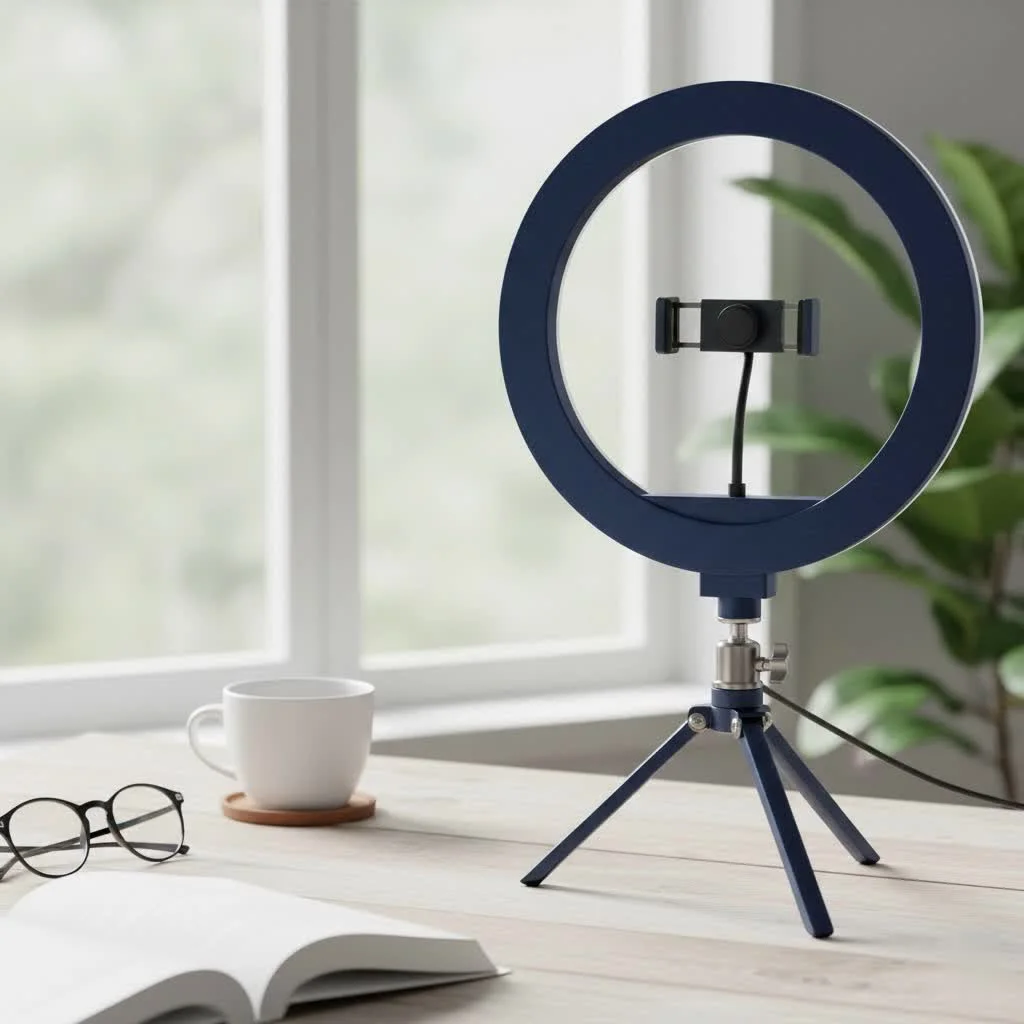
As a professional photographer with over a decade of experience, I’ve seen firsthand how crucial lighting is. It’s the single most important factor in image quality. Whether you’re a remote employee, a content creator, or someone who just wants to look better during video chats with family, the right lighting setup makes all the difference. This guide will walk you through everything you need to know to choose and use the perfect ring light for your needs.
Why Do You Need a Ring Light for Zoom Calls?
You might wonder if the lamp on your desk or the overhead room light is enough. In most cases, it’s not. Standard home and office lighting often comes from above or the side, which creates unflattering shadows under your eyes, nose, and chin. This can make you look exhausted and can be incredibly distracting.
A ring light, on the other hand, is designed to be placed directly in front of you, with your camera or smartphone positioned in the center. This setup provides several key benefits:
- Eliminates Shadows: It casts a uniform light directly onto your face, filling in any potential shadows and creating a smooth, clean look.
- Creates a “Catchlight”: The circular shape produces a signature ring-shaped reflection in your eyes, known as a catchlight. This makes your eyes look brighter and more engaging.
- Flattering Illumination: The soft, diffused light minimizes the appearance of blemishes and wrinkles, giving your skin a healthier, more vibrant look.
- Professional Appearance: Simply put, good lighting signals professionalism. It shows you care about how you present yourself and helps you stand out in a grid of poorly lit faces.
How to Choose the Best Ring Light for Zoom
With so many options on the market, finding the right one can feel overwhelming. Let’s break down the key features to consider to ensure you invest in a tool that truly meets your needs.
Size Matters: From Desktop to Freestanding
The size of the ring light, measured by its diameter, determines the spread of light.
- Small (6-10 inches): These are perfect for laptops and desktop setups. They are compact, often clip directly onto your screen or come with a small desk stand, and provide enough light to illuminate your face for a standard video call. They’re also highly portable.
- Medium (12-14 inches): A great all-around option. These lights offer a broader, softer light source than smaller models and are versatile enough for both desk use and wider shots if needed. They typically come with a more robust tripod.
- Large (18+ inches): Generally overkill for just Zoom calls, these are favored by professional content creators, streamers, and photographers who need to light a larger area or a full-body shot.
For most Zoom users, a 10 to 12-inch ring light strikes the perfect balance between performance, size, and price.
Brightness and Color Temperature Control
|
Our Picks for the Best Ring Light in 2026
As an Amazon Associate I earn from qualifying purchases.
|
||
| Num | Product | Action |
|---|---|---|
| 1 | NEEWER Basics 10\" Selfie Ring Light with Tripod Stand/3 Phone Holders Compatible with iPhone/3 Cold Shoes/Remote, LED Ringlight Lighting for YouTube TikTok Vlog Video Recording Makeup Streaming, R11 |

|
| 2 | Upgraded Ring Light for Laptop, Monitor, Desk & Phone – Eye-Caring LED Webcam Light with Screen-Safe Clip, Adjustable Monitor Mount, 50 Lighting Modes, Computer Light for Zoom, Streaming, Video Calls |
|
| 3 | Weilisi 12\'\' Ring Light with Stand 72\'\' Tall & 2 Phone Holders,38 Color Modes Selfie Light with Tripod Stand, Big LED Ring Light for iPhone/Android/Camera,YouTube,Makeup |
|
| 4 | STALLY 10.2\" Ring Light with Stand, 75\" Tall Ring Light with Phone Holder and Wireless Remote, 12 Dimming Levels, 32 Color Modes Selfie Light Tripod for iPhone, Live Stream, Makeup, YouTube, TikTok |
|
| 5 | Aureday 14\'\' Selfie Ring Light with 62\'\' Tripod Stand and Phone Holder, Dimmable LED Phone Ringlight for Makeup/Video Recording/Photography, Circle Lighting for All Cell Phones&Lightweight Cameras |
|
| 6 | EMART 10\" Ring Light with 55\" Extendable Tripod Stands and Phone Holder, Dimmable LED Circle Round Light for Selfie Camera Photography/Makeup/YouTube Video/Vlogging/Live Streaming |
|
| 7 | Weilisi 10\" Ring Light with Stand 72\'\' Tall & Phone Holder,38 Color Modes Selfie Light with Tripod Stand,Stepless Dimmable/Speed LED Ring Light for iPhone & Android,YouTube, Makeup,TIK Tok |
|
| 8 | 10\" Selfie Ring Light with 73\" Tripod Stand & 1 Phone Holder, LED Camera Ringlight with 48 RGB Colors Modes & Musical Rhythm Mode and 12 Brightness Dimmable for TikTok/Makeup/Photography/Vlog |
|
| 9 | Sensyne 10\'\' Ring Light with 50\'\' Extendable Tripod Stand, LED Circle Lights with Phone Holder for Live Stream/Makeup/YouTube Video/TikTok, Compatible with All Phones |
|
| 10 | UBeesize 12\'\' Selfie Ring Light with 62’’ Tripod Stand for Video Recording, Live Streaming(YouTube, Instagram, TIK Tok), Compatible with Phones, Cameras and Webcams |
|
Adjustability is the most critical feature of a quality ring light. Look for models that offer both brightness and color temperature controls.
- Brightness (Lumen/Dimming): Your lighting needs will change depending on the time of day and the ambient light in your room. A ring light with adjustable brightness, usually controlled by a dial or remote, allows you to dial in the perfect amount of light without washing out your face or appearing too dim.
- Color Temperature (Kelvin): This refers to how warm (yellow) or cool (blue) the light is. A good ring light for Zoom should have an adjustable color temperature ranging from around 3200K (warm) to 5600K (cool daylight). This allows you to match the light in your environment for a more natural look. A cool setting is often preferred for a clean, professional look, while a warmer tone can feel more inviting.
“The ability to match the color temperature of your ring light to the ambient light in your room is a major upgrade,” notes professional lighting expert Sarah Jenkins. “It’s the secret to making your video feed look seamless and natural, not like you’re sitting in a studio.”
Mounting Options and Power Source
How will you position your ring light? The mount is crucial for usability.
- Clip-On: These are small and designed to attach directly to your laptop screen or monitor. They are incredibly convenient but offer less power and flexibility.
- Desk Tripod: A common option for 10-12 inch lights, these small tripods sit on your desk, providing a stable base. Ensure it’s tall enough to position the light at eye level.
- Floor-Standing Tripod: These offer the most flexibility in height and positioning but take up more space. They are standard with larger ring lights.
Also, consider the power source. Most desk-sized ring lights are USB-powered, which is highly convenient as they can be plugged directly into your computer or a standard USB wall adapter. Larger models may require an AC adapter.
Simple Tips for the Best Ring Light Setup
Once you have your ring light, positioning is everything. Follow these simple steps for flawless video call lighting.
- Position at Eye Level: Place the ring light directly in front of your face, with the camera in the center. The middle of the light should be at or slightly above your eye level. This ensures the light hits you straight on, eliminating shadows.
- Adjust the Distance: Don’t place the light too close, as this can create a harsh, washed-out look. Start with it about arm’s length away and adjust it closer or farther until you achieve a soft, flattering effect.
- Set Your Brightness: Turn off or dim other lights in front of you. Start with the ring light at 50% brightness and adjust up or down. Your face should be clearly lit but not blown out. The goal is to look naturally bright.
- Match the Color Temperature: Look at the other light sources in your room. If the room is lit with warm, yellowish bulbs, set your ring light to a warmer temperature (around 3200-4000K). If you’re near a window with daylight, use a cooler setting (5000-5600K).
- Check Your Background: Good lighting will also illuminate what’s behind you. Make sure your background is clean and professional, as your new light will make it more visible.
Frequently Asked Questions (FAQ)
What is the best size ring light for Zoom meetings?
For typical laptop or desktop use, a 10-inch ring light is often the sweet spot. It’s large enough to provide soft, flattering light for your face without being bulky or taking up too much desk space.
Should a ring light be in front or behind you?
Always position your ring light in front of you. The goal is to illuminate your face directly. Placing a light source behind you will create a silhouette effect, which is the exact problem you’re trying to solve.
How far away should a ring light be for a video call?
A good starting point is about 2 to 3 feet (arm’s length) away from your face. From there, you can move it closer for more intense light or farther away for a softer, wider spread of light.
Can I use a ring light with glasses?
Yes, but you may need to make some adjustments to avoid glare. Try raising the ring light slightly higher than your eye level and tilting it downward. This changes the angle of reflection and can significantly reduce or eliminate the distracting glare on your lenses.
Is a more expensive ring light worth it?
Not necessarily for Zoom calls. While professional-grade lights offer more power and features, a mid-range model with adjustable brightness and color temperature is more than sufficient for video conferencing. Focus on those key features rather than brand name or price alone.
Conclusion: Illuminate Your Professional Image
In the modern workplace, video conferencing is a cornerstone of communication. Investing in the best ring light for Zoom is a small but powerful step toward enhancing your professional presence. By providing consistent, flattering, and shadow-free illumination, a ring light ensures you look clear, engaged, and ready for business in every virtual meeting.
By focusing on key features like adjustable brightness, color temperature control, and the right size for your workspace, you can easily find a model that transforms your on-camera appearance. Take control of your lighting, and let your confidence shine through in your next call.
Frequently Asked Questions
What is the ideal size ring light for Zoom meetings?
For typical laptop or desktop use, a 10-inch ring light is often the sweet spot. This size is large enough to provide soft, flattering light for your face without being bulky or taking up too much desk space, making it highly practical for most users.
Should a ring light be positioned in front of or behind you?
Always position your ring light directly in front of you, with your camera in the center. The primary goal is to illuminate your face evenly and eliminate shadows. Placing a light source behind you would create an undesirable silhouette effect, counteracting the purpose of the ring light.
What is the recommended distance for a ring light during a video call?
A good starting point for ring light distance is about 2 to 3 feet (approximately arm's length) away from your face. From this position, you can easily adjust it closer for more intense light or farther away for a softer, wider spread of illumination, finding the perfect balance for your setup.
Can individuals who wear glasses effectively use a ring light?
Yes, individuals with glasses can use a ring light effectively, though some adjustments may be needed to avoid glare. A common solution is to raise the ring light slightly higher than your eye level and tilt it downward. This alters the angle of reflection, which can significantly reduce or eliminate distracting glare on your lenses.
Is a more expensive ring light always better for Zoom calls?
Not necessarily for Zoom calls. While professional-grade lights offer more power and advanced features, a mid-range model with essential adjustable brightness and color temperature controls is more than sufficient for video conferencing. Focus on these key functional features rather than solely on brand name or price.
Set Up Your Ring Light for Flawless Video Calls
Achieve perfect lighting for your Zoom meetings by following these simple steps to position and adjust your ring light.
Place the ring light directly in front of your face, ensuring your camera is centered within the ring. The middle of the light should be at or slightly above your eye level. This direct positioning ensures the light hits you straight on, effectively eliminating any unwanted shadows.
Avoid placing the light too close, as this can result in a harsh, washed-out appearance. Begin with the ring light about arm's length away from you. Gradually adjust it closer or farther until you achieve a soft, flattering effect that illuminates your face evenly.
Begin by turning off or dimming any other lights positioned in front of you. Start with your ring light at approximately 50% brightness and then adjust it up or down as needed. The goal is for your face to be clearly lit without appearing overexposed or 'blown out', aiming for a naturally bright look.
Observe the existing light sources in your room. If your room is lit with warm, yellowish bulbs, set your ring light to a warmer temperature (around 3200-4000K). If you are near a window with natural daylight, opt for a cooler setting (5000-5600K) to blend seamlessly.
Effective lighting will also illuminate the area behind you. Take a moment to ensure your background is clean, tidy, and professional. Your newly optimized lighting will make your surroundings more visible, so a presentable background is crucial for a polished look.
Get our weekly buyer guide
Practical specs, not advice. Unsubscribe anytime.
I was really struggling with looking washed out on my Zoom calls, especially with the overhead lighting in my office. This guide helped me pick out a 10-inch ring light with adjustable brightness, and it’s made such a huge difference. Now I look so much more professional and awake, even on early morning meetings. Definitely a game-changer for my remote work setup!
I used to rely on my desk lamp for video chats, and I always looked terrible. This guide really broke down why a ring light is essential for Zoom. I followed the recommendation for a model with both brightness and color temperature controls, and it’s fantastic. My family and friends have even commented on how much better I look on our weekly video calls. So glad I invested in one!
The advice about positioning the ring light at eye level was super helpful, and it definitely improved my video quality. My only complaint is that the color temperature adjustment on the model I bought (one of the mid-range options mentioned) isn’t as precise as I’d hoped. It’s either too warm or too cool, and finding that perfect neutral can be a bit of a hassle. Still, better than no ring light at all.
As someone who does a lot of live streams and recorded content, I know good lighting is key. I appreciated the emphasis on eliminating harsh shadows, which is something I always aim for. I ended up getting a 12-inch model, and it provides really soft, even illumination. My only minor gripe is that the included phone holder feels a little flimsy, but the light itself is excellent for my needs.