Choosing the best ring light for your computer significantly enhances your on-screen appearance by providing consistent, soft, and direct illumination. For most desktop setups, a 10-12 inch ring light with adjustable brightness and color temperature (ideally 4000K-5500K) is recommended, often powered by USB for convenience. This setup ensures you look professional and well-lit during video calls and streaming.
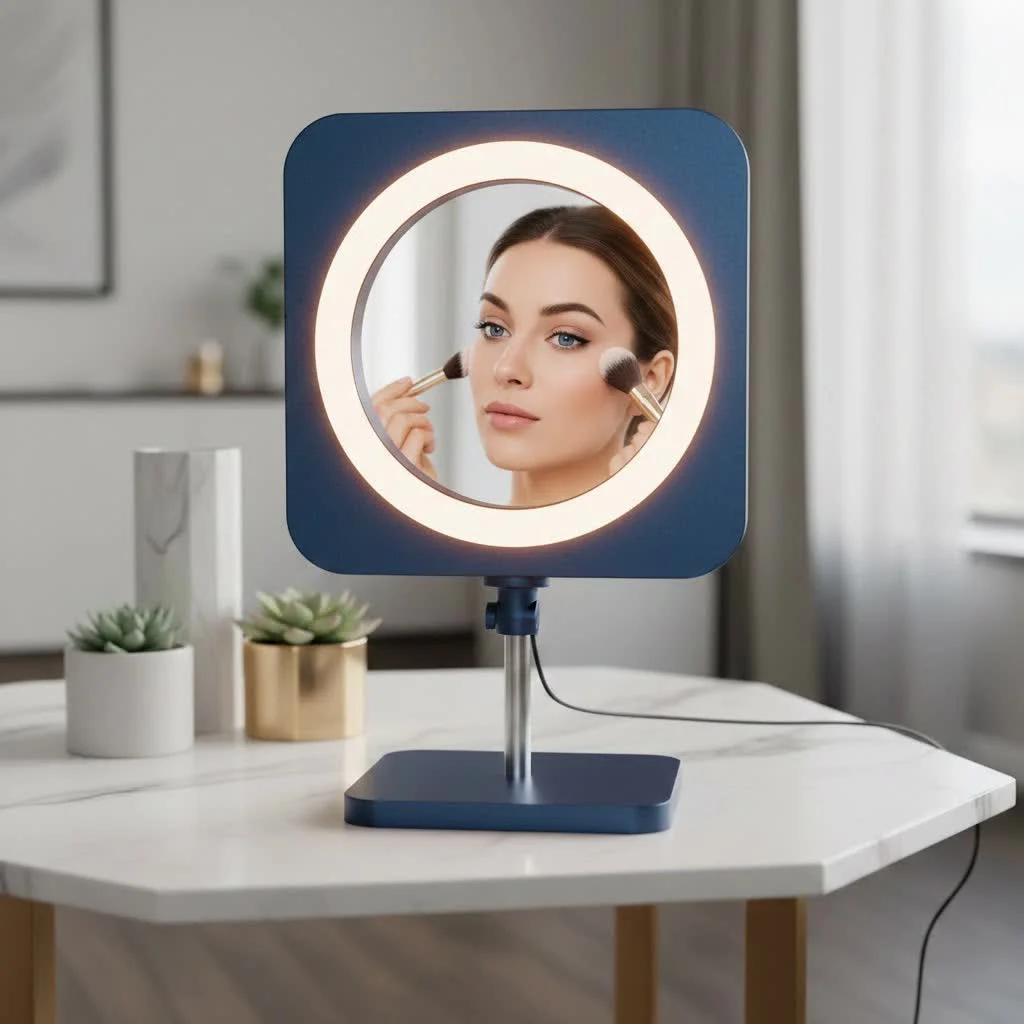
Why Your Webcam Feed Needs a Serious Lighting Upgrade
Before we dive into the technical details, let’s talk about why a dedicated light source is so essential. Relying on overhead room lighting or a nearby window creates unpredictable results. You might be perfectly lit one moment and cast in deep shadow the next as a cloud passes by. This inconsistency can be distracting and unprofessional.
A ring light solves this problem by providing a consistent, soft, and direct source of light. Its circular design wraps light around your face, eliminating the harsh shadows that can accentuate tired eyes and unflattering angles. The result is a more vibrant, engaging, and professional appearance. As lighting designer Alex Rivera often says, “Good lighting is the difference between being a participant in a meeting and leading it. It conveys confidence and clarity before you even say a word.”
How to Choose the Perfect Ring Light for Your Computer
Not all ring lights are created equal. Finding the right one for your computer or laptop involves considering a few key factors that will directly impact your on-screen look.
Size: Finding the Sweet Spot for Your Desk
The diameter of the ring light is a crucial starting point. For most computer-based activities like video conferencing and streaming, you don’t need the massive lights used in professional photo shoots.
- 6-8 Inch Lights: These smaller, compact lights are perfect for laptops. They often come with a clip that attaches directly to your screen, making them highly portable and great for those who work in different locations.
- 10-12 Inch Lights: This is the ideal range for most desktop setups. A 10 or 12-inch ring light provides ample, soft light for a head-and-shoulders shot without taking up excessive desk space. It offers a noticeable step up in quality from smaller models.
- 14-18 Inch Lights: If you are a serious content creator or want a more studio-quality, diffused glow, a larger ring light might be suitable. However, for everyday video calls, it can be overkill and difficult to position effectively on a crowded desk.
Mounts: Clip-On Convenience vs. Stand Stability
How your ring light attaches to your setup is a practical consideration that affects both usability and desk space.
- Monitor Clips: These are the most space-saving option. A clip-on ring light attaches directly to the top of your laptop screen or desktop monitor. This positions the light perfectly around your webcam with zero footprint on your desk. The main drawback is that they are typically smaller and may not be compatible with thicker monitors.
- Desktop Tripods/Stands: Many ring lights come with a small, adjustable tripod. This provides more flexibility in positioning—you can place the light slightly to the side or adjust its height independently of your screen. This versatility allows you to find the most flattering angle for your specific facial features. The trade-off is that it requires some desk space.
Brightness and Color Temperature: The Keys to Control
|
Our Picks for the Best Ring Light in 2026
As an Amazon Associate I earn from qualifying purchases.
|
||
| Num | Product | Action |
|---|---|---|
| 1 | NEEWER Basics 10\" Selfie Ring Light with Tripod Stand/3 Phone Holders Compatible with iPhone/3 Cold Shoes/Remote, LED Ringlight Lighting for YouTube TikTok Vlog Video Recording Makeup Streaming, R11 |

|
| 2 | STALLY 10.2\" Ring Light with Stand, 75\" Tall Ring Light with Phone Holder and Wireless Remote, 12 Dimming Levels, 32 Color Modes Selfie Light Tripod for iPhone, Live Stream, Makeup, YouTube, TikTok |
|
| 3 | Sensyne 10\'\' Ring Light with 50\'\' Extendable Tripod Stand, LED Circle Lights with Phone Holder for Live Stream/Makeup/YouTube Video/TikTok, Compatible with All Phones |
|
| 4 | Weilisi 12\'\' Ring Light with Stand 72\'\' Tall & 2 Phone Holders,38 Color Modes Selfie Light with Tripod Stand, Big LED Ring Light for iPhone/Android/Camera,YouTube,Makeup |
|
| 5 | EMART 10\" Ring Light with 55\" Extendable Tripod Stands and Phone Holder, Dimmable LED Circle Round Light for Selfie Camera Photography/Makeup/YouTube Video/Vlogging/Live Streaming |
|
| 6 | 10\" Selfie Ring Light with 73\" Tripod Stand & 1 Phone Holder, LED Camera Ringlight with 48 RGB Colors Modes & Musical Rhythm Mode and 12 Brightness Dimmable for TikTok/Makeup/Photography/Vlog |
|
| 7 | Upgraded Ring Light for Laptop, Monitor, Desk & Phone – Eye-Caring LED Webcam Light with Screen-Safe Clip, Adjustable Monitor Mount, 50 Lighting Modes, Computer Light for Zoom, Streaming, Video Calls |
|
| 8 | Weilisi 10\" Ring Light with Stand 72\'\' Tall & Phone Holder,38 Color Modes Selfie Light with Tripod Stand,Stepless Dimmable/Speed LED Ring Light for iPhone & Android,YouTube, Makeup,TIK Tok |
|
| 9 | Aureday 14\'\' Selfie Ring Light with 62\'\' Tripod Stand and Phone Holder, Dimmable LED Phone Ringlight for Makeup/Video Recording/Photography, Circle Lighting for All Cell Phones&Lightweight Cameras |
|
| 10 | UBeesize 12\'\' Selfie Ring Light with 62’’ Tripod Stand for Video Recording, Live Streaming(YouTube, Instagram, TIK Tok), Compatible with Phones, Cameras and Webcams |
|
The ability to control your light is non-negotiable. Look for a ring light for computer use that offers adjustable settings for both brightness and color temperature.
-
Brightness (Lumen/Intensity): Your lighting needs change throughout the day. A good ring light should have multiple brightness levels, usually controlled by a simple remote or buttons. This allows you to add just a touch of fill light on a sunny day or crank it up to be the primary light source in a dim room. Start at a lower setting (around 20-30%) and increase until you achieve a natural look that is balanced with your background.
-
Color Temperature (Kelvin): This is perhaps the most critical feature for achieving a natural look. Color temperature is measured in Kelvin (K) and determines if the light is warm (yellowish) or cool (bluish).
- Warm Light (2700K – 3500K): This creates a cozy, inviting glow, similar to evening light.
- Natural/Daylight (4000K – 5500K): This range is often the sweet spot for video calls, as it mimics neutral daylight and renders skin tones most accurately.
- Cool Light (5600K – 6500K): This is a very crisp, blue-toned light that can sometimes look sterile or harsh on camera if not used carefully.
Look for a model with at least three settings (warm, natural, cool) or, even better, one that allows you to fine-tune the temperature steplessly.
Power Source
For a computer setup, convenience is key. Most ring lights designed for desk use are USB-powered. This is incredibly practical as you can plug them directly into your computer, a USB hub, or a standard wall adapter. This eliminates the need for extra power outlets or worrying about battery life during a long meeting.
Setting Up Your Ring Light for a Flawless Look
Once you’ve chosen your ring light, positioning it correctly is the final step to achieving that perfect glow. Follow these simple steps for the best results.
- Position it Directly in Front: The most effective placement is to have the ring light directly in front of you, with your webcam in the center of the ring (or just below it if you’re using a stand). This ensures your face is evenly illuminated.
- Aim for Eye Level or Slightly Above: Position the light so it’s roughly at your eye level or slightly higher. This mimics natural light from the sun and helps minimize shadows under your chin and eyes.
- Find the Right Distance: A good starting point is to place the light about an arm’s length away from your face. Too close, and the light can be harsh and reveal every pore. Too far, and its softening effect is diminished.
- Adjust and Test: Turn on your camera and look at the preview. Adjust the brightness and color temperature until your skin tone looks natural and your face is clearly visible without being washed out. Don’t be afraid to slightly angle the light to find what works best for your features.
Frequently Asked Questions (FAQ)
What is the best size ring light for a laptop?
For most laptops, a 6 to 10-inch ring light is ideal. These are typically lightweight, come with a monitor clip, and are USB-powered, making them perfect for portable setups without being too bulky.
Can a ring light cause glare in my glasses?
Yes, this is a common issue. To minimize glare, try raising the ring light higher than you normally would and angling it down towards your face. You can also reduce the brightness and move the light slightly off to one side instead of having it directly in front of you.
How is a ring light different from a regular desk lamp?
A desk lamp provides light from a single point, which can create harsh shadows on one side of your face. A ring light’s circular shape distributes the light evenly, creating a soft, shadowless illumination that is far more flattering for on-camera appearances.
Do I need a ring light with RGB colors?
For professional video calls and most streaming, you do not need RGB (multi-color) functionality. These features are primarily for creative streamers or content creators who want to add colorful effects to their background or video. Standard bi-color (warm to cool white) is all you need.
Can I use a ring light for more than just video calls?
Absolutely! A ring light is a versatile tool. It’s excellent for taking product photos, applying makeup with perfect lighting, or filming any kind of content where you are the primary subject.
The Final Verdict
Investing in a ring light for computer use is one of the easiest and most impactful upgrades you can make to your remote work setup. It provides the consistent, flattering light that built-in webcams and poor room lighting simply can’t match. By choosing a light with the right size, mount, and adjustable settings for your needs, you can ensure you always show up to your virtual meetings looking clear, confident, and professional. Take control of your on-screen presence and let your ideas, not your shadows, take center stage.
Frequently Asked Questions
What is the best size ring light for a laptop?
For most laptops, a 6 to 10-inch ring light is ideal. These models are typically lightweight, often come with a monitor clip, and are USB-powered, making them perfect for portable setups without being too bulky.
Can a ring light cause glare in my glasses?
Yes, glare in glasses is a common issue with ring lights. To minimize this, try raising the ring light higher than your eye level and angling it down towards your face. Reducing the brightness and moving the light slightly off to one side instead of directly in front can also help.
How is a ring light different from a regular desk lamp?
A desk lamp provides light from a single point, which can create harsh shadows on one side of your face. In contrast, a ring light's circular shape distributes light evenly around the subject, creating a soft, shadowless illumination that is far more flattering for on-camera appearances.
Do I need a ring light with RGB colors for video calls?
For professional video calls and most streaming, you do not need RGB (multi-color) functionality. These features are primarily for creative streamers or content creators who want to add colorful effects. Standard bi-color (warm to cool white) is all you need for accurate skin tones.
Can a computer ring light be used for other purposes?
Absolutely, a computer ring light is a versatile tool beyond video calls. It's excellent for taking product photos, applying makeup with perfect lighting, or filming any kind of content where you are the primary subject, providing consistent and flattering illumination.
Setting Up Your Ring Light for a Flawless Look
Achieve the perfect glow for your video calls and streams by correctly positioning and adjusting your ring light.
Place the ring light directly in front of you, ensuring your webcam is centered within the ring or just below it if using a stand. This placement guarantees even illumination across your face.
Adjust the light so it is roughly at your eye level or slightly higher. This mimics natural overhead light, effectively minimizing shadows under your chin and eyes for a more flattering look.
Start by positioning the light about an arm's length away from your face. Being too close can result in harsh light that highlights imperfections, while being too far diminishes its softening effect.
Turn on your camera and observe the preview. Adjust the brightness and color temperature until your skin tone appears natural and your face is clearly visible without being overexposed. Experiment with slight angles to find what best suits your features.
Get our weekly buyer guide
Practical specs, not advice. Unsubscribe anytime.
As someone who does a lot of virtual presentations, I can’t believe I waited this long to get a ring light. The recommendation for a 4000K-5500K color temperature was spot on for looking professional. It really does solve the problem of unpredictable lighting from my room. My webcam feed has never looked better, and it was so easy to set up.
I finally upgraded my setup with a 10-inch ring light for my computer, and it’s made such a difference! My video calls used to look so dark and inconsistent with just my overhead light. Now, I have that soft, direct illumination the post talked about, and I feel so much more confident on camera. Definitely a game-changer for my remote work.
I was tired of looking like I was in a cave during my online meetings. This article convinced me to get a ring light for my computer, and I’m glad I did. The consistent lighting really does make a huge difference, no more weird shadows from the window. I went with a 12-inch model, and it’s perfect for my desktop setup, though I wish the cord was a little longer.
The USB-powered aspect of these ring lights is super convenient, which I appreciate. However, the one I got, while having adjustable brightness, doesn’t quite hit the 5500K color temperature I was hoping for. It’s a bit warmer than I’d like for my streaming setup, making my greenscreen look a little off. It’s good, but not perfect for my specific needs.