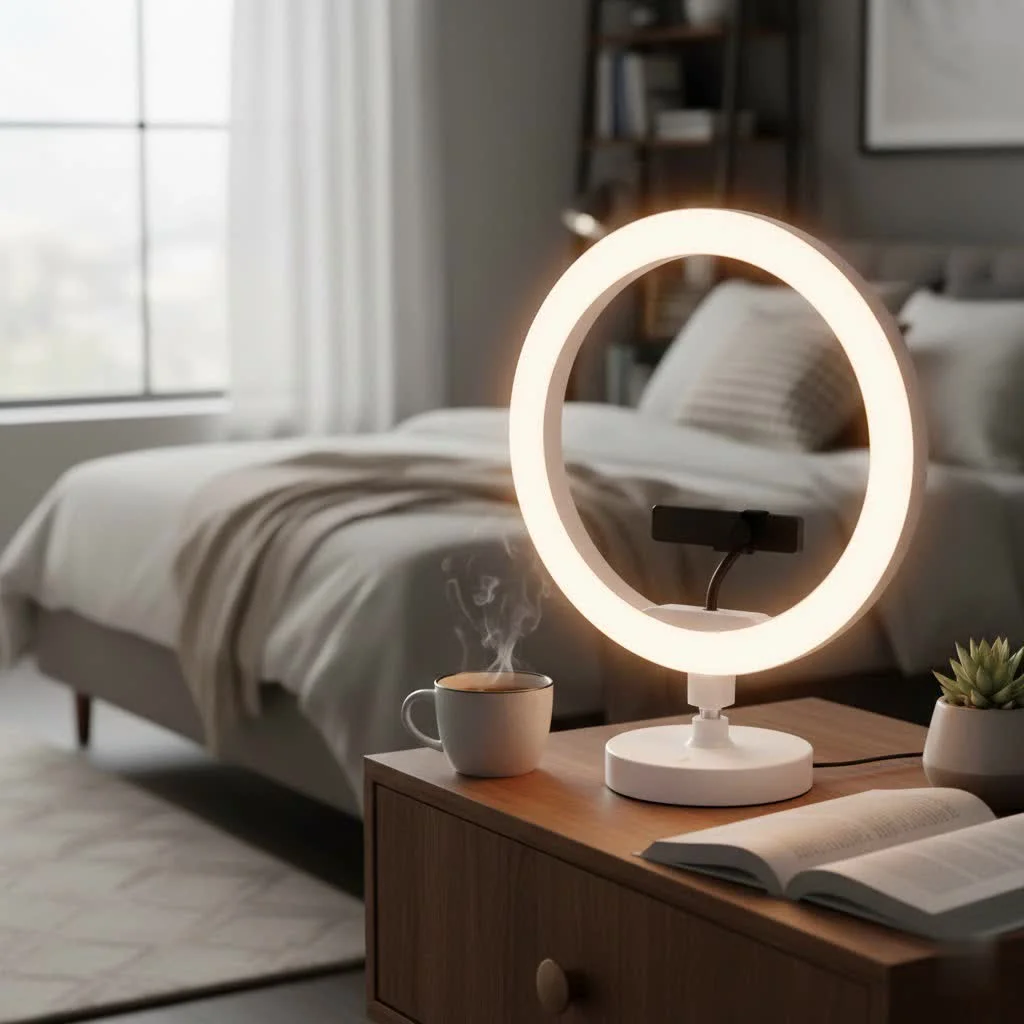
A desktop ring light significantly enhances your on-camera appearance by providing soft, even illumination, making it an essential tool for virtual meetings, streaming, and content creation. This compact, circular lighting device minimizes harsh shadows and creates a professional, well-lit look, directly improving video quality for anyone using a webcam. Desktop ring lights typically range from 6 to 12 inches in diameter, offering adjustable brightness and color temperature to suit various environments and needs.
What Exactly Is a Desktop Ring Light and Why Do You Need One?
A desktop ring light is a compact, circular lighting tool designed to sit on your desk or clip onto your laptop or monitor. Its primary job is to cast a soft, even, and flattering light directly onto your face. Unlike a harsh overhead lamp that creates unflattering shadows, the circular design of a ring light minimizes shadows by projecting light from all angles around the lens of your camera. This effect, known as “wrapping” the light around the subject, results in a clean, professional, and vibrant look, making it an indispensable tool for anyone who regularly uses a webcam. For best ring lights roundups on this site.
Whether you’re leading a team meeting on Zoom, live-streaming your gameplay, or filming a makeup tutorial, a desktop ring light instantly elevates your video quality, making you look more polished and engaged.
How to Choose the Perfect Desktop Ring Light for You
Not all ring lights are created equal. Finding the right one depends on your specific needs, your workspace, and what you’ll be using it for. Here are the key factors to consider.
Brightness and Dimming Control
The intensity of the light is crucial. A light that’s too dim won’t make a difference, while one that’s too bright will wash you out. Look for models with adjustable brightness levels, often advertised in steps (e.g., 10 levels of brightness). This flexibility allows you to adapt the lighting to your environment, whether you’re in a dimly lit room or combating harsh backlighting from a window.
Adjustable Color Temperature
Color temperature determines whether the light appears warm (yellowish) or cool (bluish), measured in Kelvin (K). A good desktop ring light should offer a range from around 3000K (warm, cozy light) to over 5500K (cool, daylight-like light). This feature is essential for matching the ambient light in your room and achieving natural-looking skin tones. A warm setting is often more flattering for personal calls, while a cooler setting provides a crisp, professional look for business meetings.
The Right Size for Your Space
|
Our Picks for the Best Ring Light in 2026
As an Amazon Associate I earn from qualifying purchases.
|
||
| Num | Product | Action |
|---|---|---|
| 1 | UBeesize 12\'\' Selfie Ring Light with 62’’ Tripod Stand for Video Recording, Live Streaming(YouTube, Instagram, TIK Tok), Compatible with Phones, Cameras and Webcams |

|
| 2 | Sensyne 10\'\' Ring Light with 50\'\' Extendable Tripod Stand, LED Circle Lights with Phone Holder for Live Stream/Makeup/YouTube Video/TikTok, Compatible with All Phones |
|
| 3 | NEEWER Basics 10\" Selfie Ring Light with Tripod Stand/3 Phone Holders Compatible with iPhone/3 Cold Shoes/Remote, LED Ringlight Lighting for YouTube TikTok Vlog Video Recording Makeup Streaming, R11 |
|
| 4 | Weilisi 10\" Ring Light with Stand 72\'\' Tall & Phone Holder,38 Color Modes Selfie Light with Tripod Stand,Stepless Dimmable/Speed LED Ring Light for iPhone & Android,YouTube, Makeup,TIK Tok |
|
| 5 | EMART 10\" Ring Light with 55\" Extendable Tripod Stands and Phone Holder, Dimmable LED Circle Round Light for Selfie Camera Photography/Makeup/YouTube Video/Vlogging/Live Streaming |
|
| 6 | Weilisi 12\'\' Ring Light with Stand 72\'\' Tall & 2 Phone Holders,38 Color Modes Selfie Light with Tripod Stand, Big LED Ring Light for iPhone/Android/Camera,YouTube,Makeup |
|
| 7 | Upgraded Ring Light for Laptop, Monitor, Desk & Phone – Eye-Caring LED Webcam Light with Screen-Safe Clip, Adjustable Monitor Mount, 50 Lighting Modes, Computer Light for Zoom, Streaming, Video Calls |
|
| 8 | STALLY 10.2\" Ring Light with Stand, 75\" Tall Ring Light with Phone Holder and Wireless Remote, 12 Dimming Levels, 32 Color Modes Selfie Light Tripod for iPhone, Live Stream, Makeup, YouTube, TikTok |
|
| 9 | Aureday 14\'\' Selfie Ring Light with 62\'\' Tripod Stand and Phone Holder, Dimmable LED Phone Ringlight for Makeup/Video Recording/Photography, Circle Lighting for All Cell Phones&Lightweight Cameras |
|
| 10 | 10\" Selfie Ring Light with 73\" Tripod Stand & 1 Phone Holder, LED Camera Ringlight with 48 RGB Colors Modes & Musical Rhythm Mode and 12 Brightness Dimmable for TikTok/Makeup/Photography/Vlog |
|
For desktop use, ring lights typically range from 6 to 12 inches in diameter. Smaller lights (6-8 inches) are incredibly portable and great for clipping onto a laptop, making them ideal for those who work in different locations. Larger lights (10-12 inches) provide softer, more comprehensive light coverage, which is better for dedicated desk setups and can reduce harsh shadows more effectively.
Mounting Options: Clip-On vs. Tripod Stand
How your ring light attaches to your setup is a major consideration.
- Clip-On Models: These are perfect for saving space and for use with laptops. They simply clip onto the top of your screen. Ensure the clip is sturdy and padded to avoid damaging your device.
- Tripod Stand Models: These offer more versatility in positioning. A small, desk-based tripod allows you to place the light behind or beside your monitor to achieve the perfect angle. They are generally more stable than clip-on models, especially for larger ring lights.
Power Source: USB vs. AC Adapter
Most desktop ring lights are USB-powered, making them incredibly convenient. You can plug them directly into your laptop, a docking station, or a USB wall adapter. This is perfect for keeping your desk setup clean and minimal. Some larger, more powerful models may require an AC adapter, which is less portable but can often provide a brighter, more consistent light output.
Setting Up for Flawless Lighting
Once you have your desktop ring light, placement is everything. For the most flattering effect, position the light directly in front of you with your webcam or phone in the center of the ring. This ensures the light is distributed evenly across your face, eliminating shadows under your eyes and nose.
Expert Tip from Xmixi: “Don’t place the light too close to your face,” advises professional lighting technician, Alex Carter. “This can create a harsh, overexposed look. Start with the light at arm’s length and at medium brightness. From there, adjust the distance and intensity until you achieve a soft, natural glow that illuminates your features without washing them out.”
Experiment with the height as well. Placing it slightly above eye level can create a more pleasing angle and add a desirable “catchlight”—that little sparkle in your eyes that makes you look more vibrant and engaged.
Beyond the Video Call: Other Great Uses
Your desktop ring light is more versatile than you might think. Its uses extend beyond just looking good on camera:
- Content Creation: Perfect for filming YouTube videos, TikToks, or Instagram Reels right from your desk.
- Product Photography: Provides clear, even lighting for taking pictures of small products for an online store.
- Makeup Application: The bright, shadowless light is ideal for detailed makeup application.
- Task Lighting: It can double as a powerful and adjustable desk lamp for reading or detailed hobbies.
Frequently Asked Questions (FAQ)
What size ring light is best for a desktop?
For most desktop setups, a 10-inch ring light offers the best balance of soft light coverage and a compact footprint. If you are primarily using it with a laptop on the go, a smaller 6 or 8-inch clip-on model might be more convenient.
Is a desktop ring light really worth it?
Absolutely. For a relatively small investment, a desktop ring light dramatically improves your on-camera appearance, making you look more professional and put-together in video calls, streams, and recordings. It’s one of the easiest ways to upgrade your video quality without buying a new camera.
How do I stop the ring light glare in my glasses?
To reduce glare, try positioning the ring light slightly higher than your eye line and angling it downwards. You can also place it slightly off to one side (about 45 degrees) instead of directly in front of you. This breaks the direct reflection without sacrificing too much of the flattering frontal light.
Can a ring light damage your eyes?
When used correctly, LED ring lights are safe. They don’t emit harmful UV rays. However, staring directly into any bright light for extended periods can cause eye strain. To avoid this, position the light at a comfortable distance and use the dimming feature to set the brightness to the lowest effective level. Avoid using it at maximum brightness if it’s not necessary.
Where is the best place to put a ring light?
The best placement is directly in front of your face, with the camera positioned in the middle of the ring. This ensures an even, shadowless illumination. The light should be at or slightly above your eye level for the most flattering results.
Your Shortcut to Perfect Lighting
A desktop ring light is no longer a niche tool for influencers; it’s a modern-day essential for professionals, students, creators, and anyone who wants to present their best self online. By understanding the key features like brightness, color temperature, and mounting options, you can easily choose a model that fits your needs perfectly. improve your video presence from amateur to professional and step into every call with the confidence that comes from flawless lighting.
Frequently Asked Questions
What size ring light is best for a desktop setup?
For most desktop setups, a 10-inch ring light offers the best balance of soft light coverage and a compact footprint. If you are primarily using it with a laptop on the go, a smaller 6 or 8-inch clip-on model might be more convenient due to its portability.
Is investing in a desktop ring light truly worthwhile?
Absolutely. For a relatively small investment, a desktop ring light dramatically improves your on-camera appearance, making you look more professional and put-together in video calls, streams, and recordings. It's one of the easiest ways to upgrade your video quality without buying a new camera.
How can I prevent ring light glare when wearing glasses?
To reduce glare, try positioning the ring light slightly higher than your eye line and angling it downwards. You can also place it slightly off to one side (about 45 degrees) instead of directly in front of you. This breaks the direct reflection without sacrificing too much of the flattering frontal light.
Can using a ring light cause damage to my eyes?
When used correctly, LED ring lights are safe and do not emit harmful UV rays. However, staring directly into any bright light for extended periods can cause eye strain. To avoid this, position the light at a comfortable distance and use the dimming feature to set the brightness to the lowest effective level, avoiding maximum brightness if unnecessary.
What is the optimal placement for a desktop ring light?
The best placement is directly in front of your face, with the camera positioned in the middle of the ring. This ensures an even, shadowless illumination across your face. The light should be at or slightly above your eye level for the most flattering results and to create desirable catchlights in your eyes.
How to Choose the Perfect Desktop Ring Light
Choosing the right desktop ring light involves considering several key factors to ensure it meets your specific needs for video calls, streaming, or content creation.
Look for models with adjustable brightness levels, often advertised in steps (e.g., 10 levels). This flexibility allows you to adapt the lighting to your environment, whether you're in a dimly lit room or combating harsh backlighting from a window.
A good desktop ring light should offer a range from around 3000K (warm, cozy light) to over 5500K (cool, daylight-like light). This feature is essential for matching ambient light and achieving natural-looking skin tones for various uses.
For desktop use, ring lights typically range from 6 to 12 inches in diameter. Smaller lights (6-8 inches) are portable for laptops, while larger lights (10-12 inches) provide softer, more comprehensive light coverage for dedicated desk setups.
Clip-on models are space-saving and ideal for laptops, while tripod stand models offer more versatility in positioning and stability. Choose based on your workspace and portability needs.
Most desktop ring lights are USB-powered for convenience, plugging into laptops or wall adapters. Some larger, more powerful models may require an AC adapter, offering brighter, more consistent light output at the cost of portability.
Get our weekly buyer guide
Practical specs, not advice. Unsubscribe anytime.
I’ve been using a desktop ring light for my streaming setup for about a month now, and it’s a huge upgrade. The even illumination really helps with my overall video quality, and I don’t have those weird shadows anymore. My only minor complaint is that the color temperature adjustment could be a bit more precise, but for the price range, it’s a solid buy.
This desktop ring light is a game-changer for my YouTube videos! I used to struggle with inconsistent lighting, but the circular design really does minimize harsh shadows like it said it would. It’s super compact and fits perfectly on my small desk. My face looks so much brighter and more natural on camera now.
I finally caved and got a desktop ring light for my Zoom calls, and wow, what a difference! My old setup always left me looking a bit shadowy, but this little 10-inch light makes me look so much more professional. The adjustable brightness is a lifesaver for different times of day. Definitely recommend for anyone doing a lot of virtual meetings.
Got a 6-inch desktop ring light to clip onto my monitor for content creation. It does provide good, soft light, which is a definite improvement over my old desk lamp. However, I wish the clip was a bit sturdier; it feels a little flimsy when I adjust the angle. It works, but I’m a bit worried about its long-term durability.