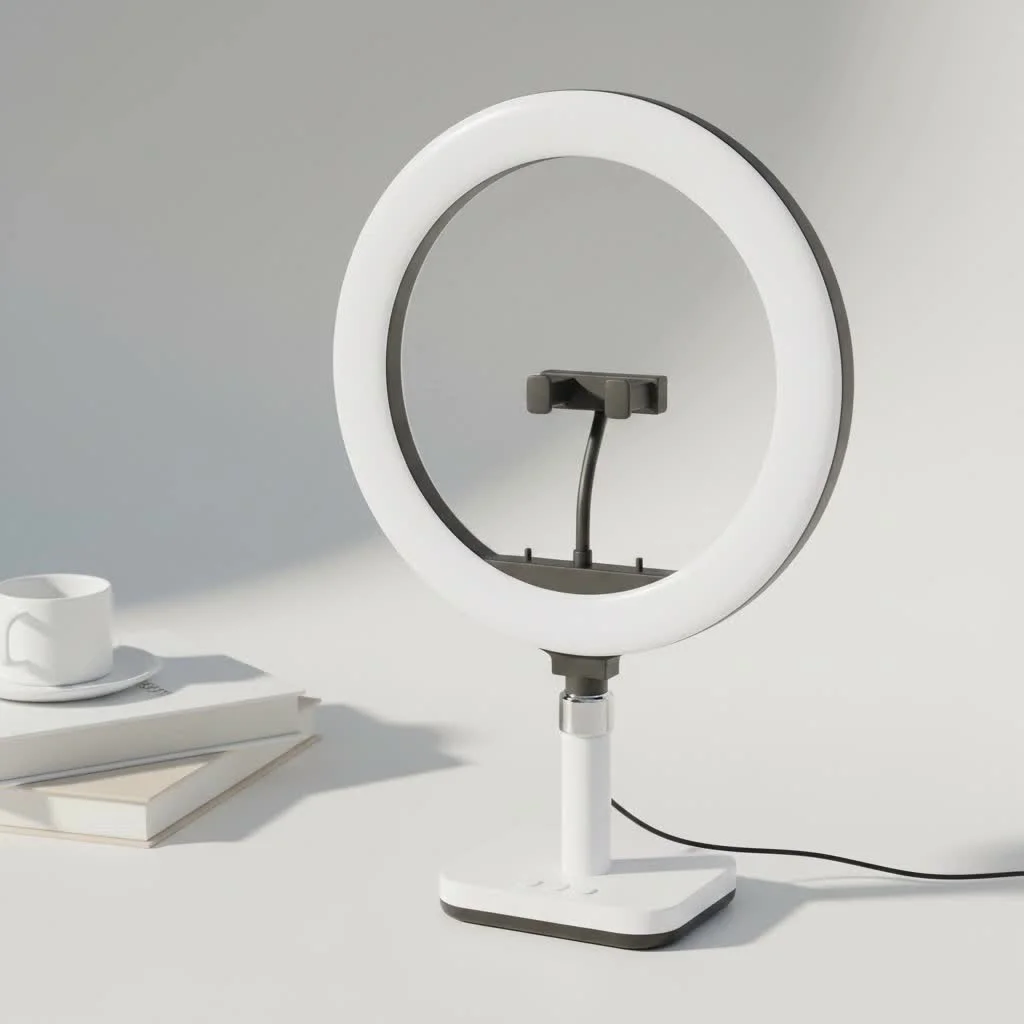
A ring light camera setup significantly enhances visual quality by providing soft, uniform illumination that eliminates harsh shadows and creates a professional, engaging look. This setup, often consisting of a standalone ring light with a camera mounted in its center, is crucial for video conferences, live streaming, and content creation, ensuring bright, clear, and flattering images. As a professional photographer with over a decade of experience, I’ve observed that proper lighting transforms good content into great content.
What Exactly Is a Ring Light Camera?
A “ring light camera” typically refers to the combination of a ring light used with a camera, rather than a single device. This setup can manifest in two primary forms: For compare top ring lights on this site.
- An Integrated Webcam: Some modern webcams, such as the Razer Kiyo, feature a small ring light built directly around the camera lens. This offers a compact, plug-and-play solution ideal for video calls and streaming.
- A Standalone Ring Light: This is the more common and versatile configuration, involving a separate circular light, usually mounted on a tripod, with a central space to position your camera (DSLR, mirrorless, webcam, or smartphone).
The fundamental principle remains consistent: the circular design emits soft, uniform light from the same axis as the camera lens. This unique characteristic effectively eliminates harsh shadows and produces a flattering, professional glow.
The Key Benefits: Why Every Creator Needs One
The effectiveness of a ring light extends beyond mere brightness; it’s about the quality of illumination. Using a ring light with your camera provides distinct advantages that are challenging to replicate with other lighting sources.
- Flawless, Shadowless Illumination: By projecting light directly from around the lens, a ring light fills in all facial shadows typically cast by overhead or side lighting. This results in a smooth, even complexion and reduces the appearance of wrinkles and blemishes.
- The Signature “Catchlight”: A highly sought-after effect of a ring light is the beautiful, circular reflection it creates in the subject’s eyes. This “catchlight” adds vitality and engagement, making you appear more vibrant and connected to your audience.
- Professional Video Quality: Cameras, especially webcams and smartphone cameras, perform significantly better in well-lit conditions. A ring light provides the ample, consistent light necessary for your camera’s sensor to capture crisp, clear, and color-accurate images, substantially reducing digital noise and graininess.
- Versatility and Control: Most modern ring lights offer adjustable brightness and color temperature. This allows you to fine-tune the perfect amount of light for your environment and control the mood, from a warm, inviting glow to a cool, clinical white.
How to Choose the Perfect Ring Light Camera Setup
The optimal choice depends entirely on your specific requirements. What suits a professional streamer might be excessive for someone seeking to improve Zoom call appearancesLet’s explore the options.
For the Professional Streamer: Integrated Webcams
|
Our Picks for the Best Ring Light in 2026
As an Amazon Associate I earn from qualifying purchases.
|
||
| Num | Product | Action |
|---|---|---|
| 1 | UBeesize 12\'\' Selfie Ring Light with 62’’ Tripod Stand for Video Recording, Live Streaming(YouTube, Instagram, TIK Tok), Compatible with Phones, Cameras and Webcams |

|
| 2 | Sensyne 10\'\' Ring Light with 50\'\' Extendable Tripod Stand, LED Circle Lights with Phone Holder for Live Stream/Makeup/YouTube Video/TikTok, Compatible with All Phones |
|
| 3 | STALLY 10.2\" Ring Light with Stand, 75\" Tall Ring Light with Phone Holder and Wireless Remote, 12 Dimming Levels, 32 Color Modes Selfie Light Tripod for iPhone, Live Stream, Makeup, YouTube, TikTok |
|
| 4 | Weilisi 10\" Ring Light with Stand 72\'\' Tall & Phone Holder,38 Color Modes Selfie Light with Tripod Stand,Stepless Dimmable/Speed LED Ring Light for iPhone & Android,YouTube, Makeup,TIK Tok |
|
| 5 | Weilisi 12\'\' Ring Light with Stand 72\'\' Tall & 2 Phone Holders,38 Color Modes Selfie Light with Tripod Stand, Big LED Ring Light for iPhone/Android/Camera,YouTube,Makeup |
|
| 6 | NEEWER Basics 10\" Selfie Ring Light with Tripod Stand/3 Phone Holders Compatible with iPhone/3 Cold Shoes/Remote, LED Ringlight Lighting for YouTube TikTok Vlog Video Recording Makeup Streaming, R11 |
|
| 7 | Upgraded Ring Light for Laptop, Monitor, Desk & Phone – Eye-Caring LED Webcam Light with Screen-Safe Clip, Adjustable Monitor Mount, 50 Lighting Modes, Computer Light for Zoom, Streaming, Video Calls |
|
| 8 | EMART 10\" Ring Light with 55\" Extendable Tripod Stands and Phone Holder, Dimmable LED Circle Round Light for Selfie Camera Photography/Makeup/YouTube Video/Vlogging/Live Streaming |
|
| 9 | Aureday 14\'\' Selfie Ring Light with 62\'\' Tripod Stand and Phone Holder, Dimmable LED Phone Ringlight for Makeup/Video Recording/Photography, Circle Lighting for All Cell Phones&Lightweight Cameras |
|
| 10 | 10\" Selfie Ring Light with 73\" Tripod Stand & 1 Phone Holder, LED Camera Ringlight with 48 RGB Colors Modes & Musical Rhythm Mode and 12 Brightness Dimmable for TikTok/Makeup/Photography/Vlog |
|
If your primary use involves live streaming or frequent video conferencing from your desk, an integrated webcam with a built-in ring light is an exceptionally efficient choice. These devices prioritize simplicity and convenience.
- What to look for: Prioritize models with at least 1080p resolution, a decent frame rate (30-60fps), and easily adjustable brightness settings.
- Top Contenders: The Razer Kiyo Pro is a prime example, offering excellent video quality and an adaptive light sensor. Other brands also provide great plug-and-play options in this category.
- Pro Tip: While convenient, built-in lights are small. For the absolute best quality, consider supplementing with a larger, off-camera light source.
For the Content Creator: Using Ring Lights with a DSLR or Mirrorless Camera
For YouTubers, portrait photographers, and anyone producing high-quality video content, a larger, standalone ring light is the preferred option. This setup provides maximum power and control.
- Size Matters: Common sizes include 14, 18, and 20 inches. An 18-inch ring light is often considered the ideal size, delivering broad, soft light perfect for a single person shot from the waist up.
- Key Specs to Understand:
- Power (Watts/Lumens): Higher wattage generally indicates a brighter light output.
- Color Temperature: Opt for a bi-color model that allows adjustment from warm (around 3200K) to cool (around 5600K) light.
- Color Rendering Index (CRI): This metric measures how accurately the light reveals the true colors of your subject. Aim for a CRI of 95+ for professional, true-to-life skin tones.
As professional content creator David Miller states, “Switching to an 18-inch ring light with my DSLR was a major upgrade. The control over light intensity and warmth enabled me to create a consistent, signature look for my channel that was previously unattainable.”
For the Mobile User: Smartphone Ring Lights
If you create content on the go, shoot TikToks, or simply desire better selfies, a small, clip-on ring light offers an affordable and portable solution. These compact devices attach directly to your smartphone, providing the signature ring light look anytime, anywhere. They are typically battery-powered and offer several brightness levels.
How to Set Up Your Ring Light for Stunning Results
Simply owning a ring light is insufficient; correct positioning is essential to maximize its benefits. Follow these steps for an optimal setup:
- Position It Directly in Front: The objective is to have the light source originate from the same direction as the camera. Place the ring light directly in front of your face, with your camera positioned in the center of the ring.
- Adjust to Eye Level: The center of the ring light should be level with your eyes. If positioned too high, it will create shadows under your chin. If too low, it will cast unflattering shadows under your nose and brow.
- Find the Right Distance: Begin with the light approximately arm’s length away. Moving it closer will produce a softer, more intense light with more prominent catchlights. Moving it further away will result in a harder, more subtle light.
- Dial in the Brightness: Avoid setting it to 100% immediately. Start at a medium setting and adjust until your face is clearly illuminated without appearing washed out or “blown out” (where details are lost in pure white).
- Set the Color Temperature: Endeavor to match the color temperature of the ambient light in your room. If warm lamps are present in the background, a warmer setting on your ring light will appear more natural. For a clean, modern aesthetic, a cooler, daylight-balanced setting (around 5500K) is ideal.
Frequently Asked Questions (FAQ)
What size ring light is best for a camera?
For a head-and-shoulders shot with a DSLR or webcam, an 18-inch ring light is the most popular and effective size. For full-body shots, a larger light or multiple light sources may be necessary. For smartphones, smaller 10 to 12-inch lights are generally sufficient.
Can I use any ring light with my camera?
Yes, most standalone ring lights are universally compatible. They typically feature a standard mount in the center that can accommodate a smartphone clamp, a ball head for a webcam, or a small DSLR or mirrorless camera.
Do I need a ring light if my room is already bright?
It is highly recommended to use a ring light even in a bright room. Ambient room light, even if bright, often comes from unflattering angles (such as directly overhead), creating harsh shadows. A ring light acts as a “fill light” to counteract these shadows and provide dedicated, flattering key illumination on your face.
How does a ring light camera improve video calls?
A ring light camera setup makes you appear clearer, more professional, and more engaged during video calls. The even lighting significantly improves your webcam’s performance, eliminating graininess and ensuring your facial expressions are easily visible, which enhances communication and connection with colleagues or clients.
Is a higher price always better for a ring light?
Not necessarily. A higher price often indicates better build quality, a higher CRI for more accurate colors, and more consistent power output. However, for general video calls or beginner content creation, many affordable models provide excellent value and results.
Conclusion: improve your Visuals Instantly
A ring light camera setup represents one of the most impactful and cost-effective investments you can make in your visual presence. It is a simple tool that delivers dramatic results, instantly elevating the quality of your photos and videos. By eliminating shadows, creating beautiful catchlights, and providing your camera with optimal light, you can consistently present your best self. Stop letting inadequate lighting hinder your content, and embrace the world of professional, polished, and perfectly lit visuals.
Get our weekly buyer guide
Practical specs, not advice. Unsubscribe anytime.
This setup has completely transformed my product photography. I used to struggle with harsh shadows and uneven lighting, but the soft, uniform light from my new ring light makes everything pop. It really does create that professional, engaging look that was promised. My photos have never looked better, and editing time has been cut in half.
I’ve been using a Razer Kiyo for a while, and the integrated webcam with its small ring light is super convenient for quick calls. It’s perfect for when I don’t want to set up my whole studio. The light is decent for its size, but for more serious shoots, I still prefer my larger ring light for that extra brightness and shadow elimination.
I finally invested in a proper ring light camera setup after struggling with poor lighting for my live streams. The uniform illumination really does make a huge difference, just like mentioned. My videos look so much more professional now, and I don’t have those annoying shadows under my eyes anymore. It’s a game-changer for anyone serious about content creation.
I got a standalone ring light with the idea of mounting my DSLR in the center. While the light itself is great and definitely helps with video conferences, the camera mount feels a bit flimsy. I’m always worried my camera might slip, so I have to be extra careful. It works, but I wish the build quality for the mount was a bit sturdier.