Using a ring light for Zoom meetings significantly enhances your video presence by providing soft, diffuse illumination that eliminates shadows and smooths skin tone. This results in a professional, well-lit appearance, making you look clear and engaged on virtual calls. Lighting specialists at Xmixi, with over a decade of experience, confirm that a ring light is a crucial tool for anyone aiming to improve their on-screen communication.
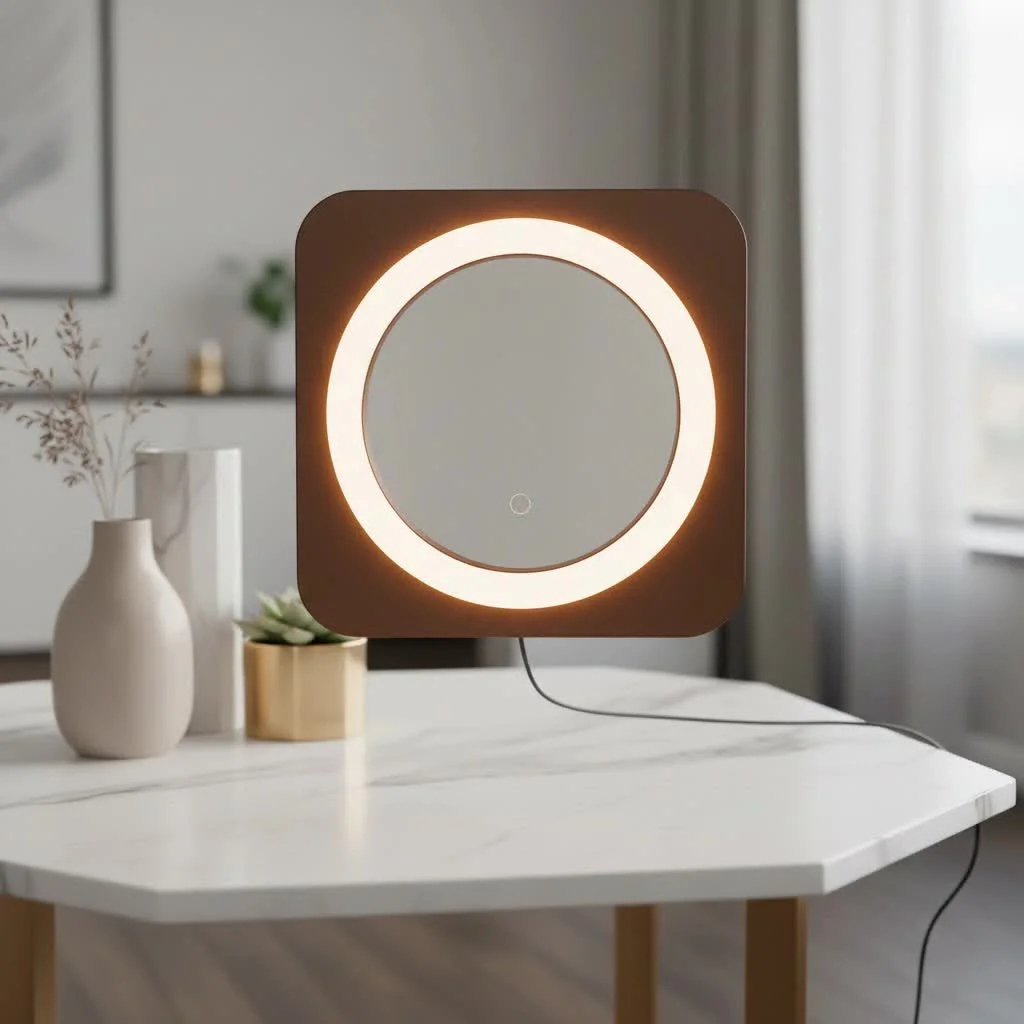
A ring light isn’t just for influencers and content creators; it’s a crucial tool for anyone who wants to look their best and communicate effectively on platforms like Zoom. This comprehensive guide will walk you through everything you need to know, from choosing the right model to setting it up for flawless results. For best ring lights roundups on this site.
Why is a Ring Light So Effective for Zoom Calls?
A ring light is the go-to solution for video conferencing because it provides soft, diffuse illumination that wraps around your face, unlike a standard desk lamp that casts harsh, directional light. This unique doughnut shape helps to eliminate shadows, smooth out skin tone, and reduce the appearance of blemishes or wrinkles.
The result is a bright, even, and flattering light that makes you look clear and professional. It also creates a signature “catchlight”—a circular reflection in your eyes—that adds a touch of vibrancy and engagement, making you appear more present and connected with your audience.
“Good lighting is the single most impactful investment you can make to improve your video call quality,” notes professional lighting consultant, Alex Chen. “A ring light democratizes professional lighting, making it easy for anyone to achieve a studio-quality look from their home office.”
How to Choose the Perfect Ring Light for Zoom
With many options on the market, selecting the right ring light can feel overwhelming. The key is to focus on the features that matter most for video conferencing needs. Here are the crucial factors to consider.
Size and Portability
Ring lights come in various sizes, typically ranging from small 6-inch clip-on models to large 18-inch floor-standing units.
- Small (6-10 inches): These are perfect for small desks and travel. Models like the 10-inch Neewer Selfie Ring Light or Logitech’s Litra Glow are compact enough to sit on your desk or clip onto your laptop without taking up much space. They are ideal for users who need a simple, effective solution for their daily Zoom meetings.
- Medium (12-14 inches): A 12 or 13-inch ring light offers a great balance of power and size. They provide broader, softer light coverage than smaller models and are often versatile enough for other uses, like content creation.
- Large (18 inches and up): Larger ring lights, such as the 18-inch Diamond Luxe III, deliver powerful, professional-grade lighting that can illuminate a wider area. These are best suited for dedicated home office setups where you have more space and require maximum versatility.
Mounting Options
|
Our Picks for the Best Ring Light in 2026
As an Amazon Associate I earn from qualifying purchases.
|
||
| Num | Product | Action |
|---|---|---|
| 1 | Upgraded Ring Light for Laptop, Monitor, Desk & Phone – Eye-Caring LED Webcam Light with Screen-Safe Clip, Adjustable Monitor Mount, 50 Lighting Modes, Computer Light for Zoom, Streaming, Video Calls |

|
| 2 | Aureday 14\'\' Selfie Ring Light with 62\'\' Tripod Stand and Phone Holder, Dimmable LED Phone Ringlight for Makeup/Video Recording/Photography, Circle Lighting for All Cell Phones&Lightweight Cameras |
|
| 3 | Weilisi 10\" Ring Light with Stand 72\'\' Tall & Phone Holder,38 Color Modes Selfie Light with Tripod Stand,Stepless Dimmable/Speed LED Ring Light for iPhone & Android,YouTube, Makeup,TIK Tok |
|
| 4 | NEEWER Basics 10\" Selfie Ring Light with Tripod Stand/3 Phone Holders Compatible with iPhone/3 Cold Shoes/Remote, LED Ringlight Lighting for YouTube TikTok Vlog Video Recording Makeup Streaming, R11 |
|
| 5 | 10\" Selfie Ring Light with 73\" Tripod Stand & 1 Phone Holder, LED Camera Ringlight with 48 RGB Colors Modes & Musical Rhythm Mode and 12 Brightness Dimmable for TikTok/Makeup/Photography/Vlog |
|
| 6 | UBeesize 12\'\' Selfie Ring Light with 62’’ Tripod Stand for Video Recording, Live Streaming(YouTube, Instagram, TIK Tok), Compatible with Phones, Cameras and Webcams |
|
| 7 | EMART 10\" Ring Light with 55\" Extendable Tripod Stands and Phone Holder, Dimmable LED Circle Round Light for Selfie Camera Photography/Makeup/YouTube Video/Vlogging/Live Streaming |
|
| 8 | STALLY 10.2\" Ring Light with Stand, 75\" Tall Ring Light with Phone Holder and Wireless Remote, 12 Dimming Levels, 32 Color Modes Selfie Light Tripod for iPhone, Live Stream, Makeup, YouTube, TikTok |
|
| 9 | Weilisi 12\'\' Ring Light with Stand 72\'\' Tall & 2 Phone Holders,38 Color Modes Selfie Light with Tripod Stand, Big LED Ring Light for iPhone/Android/Camera,YouTube,Makeup |
|
| 10 | Sensyne 10\'\' Ring Light with 50\'\' Extendable Tripod Stand, LED Circle Lights with Phone Holder for Live Stream/Makeup/YouTube Video/TikTok, Compatible with All Phones |
|
How you mount your ring light is critical for proper positioning. Common options include:
- Clip-On: Designed to attach directly to your laptop or monitor. These are incredibly convenient and space-saving.
- Desk Stand: Many ring lights come with a small tripod or weighted base that sits on your desk. This offers more stability and flexibility in positioning than a clip-on.
- Floor Stand: For maximum flexibility, a floor-standing tripod allows you to position the light at the perfect height and angle, independent of your desk setup.
Brightness and Color Temperature Control
Adjustability is non-negotiable. Your lighting needs will change depending on the time of day and the ambient light in your room. Look for a ring light with:
- Adjustable Brightness (Dimming): This allows you to control the intensity of the light to avoid looking overexposed or washed out. Most models offer multiple brightness levels.
- Adjustable Color Temperature: This feature lets you change the light from a cool, blue-toned white to a warm, yellow-toned white. The ability to match the color temperature of your room’s ambient light is crucial for achieving a natural-looking skin tone. Look for a range between 3200K (warm) and 5600K (cool/daylight).
Setting Up Your Ring Light for Flawless Zoom Calls
Once you’ve chosen your ring light, proper setup is key to looking your best. It’s not just about turning it on; it’s about positioning it correctly.
Step 1: Find the Best Position
The most flattering position for a ring light is directly in front of your face, with your webcam placed in the center of the ring. This ensures the light is even and minimizes shadows. The light should be positioned at or slightly above your eye level to create the most natural look. Placing the light too low can create unflattering shadows under your chin, while placing it too high can cast shadows under your eyes.
Step 2: Set the Right Height and Angle
Adjust the height of your ring light stand so that the center is aligned with the middle of your face. If you wear glasses, you may need to adjust the position to avoid glare. Try raising the light slightly higher and angling it downward. This often helps to eliminate the reflection of the light in your lenses.
Step 3: Adjust Brightness and Color Temperature
Start with the brightness at a medium setting and adjust it until your face is well-lit but not overly bright. Your goal is to look natural, not like you’re under a spotlight. Next, adjust the color temperature. If your room has warm, yellowish ambient light from lamps, set your ring light to a warmer temperature (around 3200K). If you’re near a window with natural daylight, a cooler, daylight-balanced setting (around 5600K) will look more natural.
Step 4: Consider Your Background
Pay attention to how the light interacts with your background. A well-lit subject against a dark, unlit background can look disconnected. If possible, ensure your background is also softly illuminated. Some users opt for a two-light setup, using one light for their face (the key light) and another to light the background or fill in shadows from the side.
Frequently Asked Questions (FAQ)
What is the best size ring light for Zoom meetings?
For most home office setups, a 10 to 12-inch ring light offers the best combination of performance and convenience. It’s large enough to provide soft, flattering light for your face without being too bulky for a standard desk.
Should my ring light be in front of or behind me?
Always position your light source in front of you. Placing a light behind you will cause your camera to expose for the bright light, turning you into a dark silhouette. Your face should be the best-lit part of the frame.
How do I stop the ring light reflection in my glasses?
To minimize glare on glasses, position the ring light higher than your eye level and angle it down towards your face. You can also try moving it slightly to the left or right of your camera instead of having it perfectly centered. Experiment with small adjustments to find the angle that works best.
Are more expensive ring lights worth it?
While budget-friendly options can be very effective, more expensive models often provide better build quality, more precise brightness and color temperature controls, and higher-quality LEDs that produce a more consistent and flattering light. For professionals who are on camera daily, investing in a high-quality light can be a worthwhile expense.
Look Your Best in Every Call
In the age of video-first communication, your on-screen appearance matters. A ring light for Zoom is a simple yet powerful tool that ensures you always look clear, professional, and ready to engage. By choosing the right model and mastering the setup, you can eliminate bad lighting as a distraction and focus on what truly matters: your message. Take control of your virtual presence and step into your next Zoom meeting with the confidence that comes from knowing you look your absolute best.
Frequently Asked Questions
What is the best size ring light for Zoom meetings?
For most home office setups, a 10 to 12-inch ring light offers the best combination of performance and convenience. This size is large enough to provide soft, flattering light for your face without being too bulky for a standard desk, ensuring optimal illumination for your video calls.
Should my ring light be positioned in front of or behind me?
Always position your light source directly in front of you. Placing a light behind you will cause your camera to expose for the bright background, turning you into a dark silhouette. Your face should be the best-lit part of the frame to ensure clarity and professionalism.
How can I stop ring light reflection in my glasses during calls?
To minimize glare on glasses, position the ring light higher than your eye level and angle it down towards your face. You can also try moving it slightly to the left or right of your camera instead of having it perfectly centered. Experiment with small adjustments to find the angle that works best for you.
Are more expensive ring lights a worthwhile investment?
While budget-friendly options can be effective, more expensive ring light models often provide better build quality, more precise brightness and color temperature controls, and higher-quality LEDs. For professionals who are on camera daily, investing in a high-quality light can be a worthwhile expense due to its consistent and flattering output.
What color temperature range is ideal for a ring light?
An ideal ring light should offer an adjustable color temperature range between 3200K (warm, yellowish light) and 5600K (cool, daylight-balanced light). This range allows you to match the ambient light in your room, ensuring a natural-looking skin tone and overall video appearance.
Set Up Your Ring Light for Flawless Zoom Calls
Achieve a professional look on your Zoom calls by correctly positioning and adjusting your ring light.
Position the ring light directly in front of your face, with your webcam placed in the center of the ring. The light should be at or slightly above your eye level to ensure even illumination and minimize unflattering shadows under your chin or eyes.
Adjust the height of your ring light stand so its center aligns with the middle of your face. If you wear glasses, raise the light slightly higher and angle it downward to help eliminate reflections in your lenses.
Start with a medium brightness setting and adjust until your face is well-lit but not overexposed. For color temperature, match your room's ambient light: use warmer tones (around 3200K) for yellowish room light and cooler tones (around 5600K) for natural daylight.
Ensure your background is also softly illuminated to avoid looking disconnected from your surroundings. A well-lit subject against a dark, unlit background can create an unnatural contrast. Some users opt for a second light to illuminate the background.
Get our weekly buyer guide
Practical specs, not advice. Unsubscribe anytime.
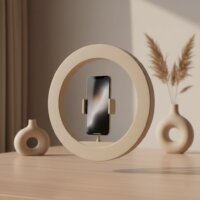
The advice here was helpful for setting up my new ring light. I appreciate the tips on positioning. However, I found that even with the diffuse illumination, my glasses still catch a bit of a glare sometimes. It’s not terrible, but I was hoping it would completely eliminate that issue. Still, a good improvement overall.
This guide was exactly what I needed! I always felt like I looked washed out or had weird shadows on my Zoom calls. After reading about how a ring light provides soft, diffuse light, I invested in one. My colleagues have even commented on how much clearer I look now. It’s a game-changer for virtual communication.
I’ve used ring lights for content creation for years, but I never really thought about optimizing one specifically for Zoom. The point about smoothing skin tone is spot on; it makes a huge difference for those early morning meetings. I ended up getting a smaller, desk-mounted model based on the recommendations, and it’s perfect for my home office setup.
I was skeptical about getting a ring light just for Zoom, but this guide convinced me. The difference in my video calls is night and day! My face is evenly lit, and those harsh shadows I used to get are completely gone. It really does make me look more professional and engaged, just like it said it would.